

Maestro Theme Scheduler
Live this weekSchedule theme publishing and content changes on your Shopify store.
In short
Maestro Theme Scheduler is Schedule theme publishing and content changes on your Shopify store. It launched on LetsLaunch on September 24, 2026 and has earned 0 upvotes, ranking #19 in its launch week.
- Category
- E-Commerce
- Pricing
- Freemium
- Upvotes
- 0
- Launched
- Sep 24, 2026
- Launch-week rank
- #19
- Outbound link
- Dofollow — badge verified
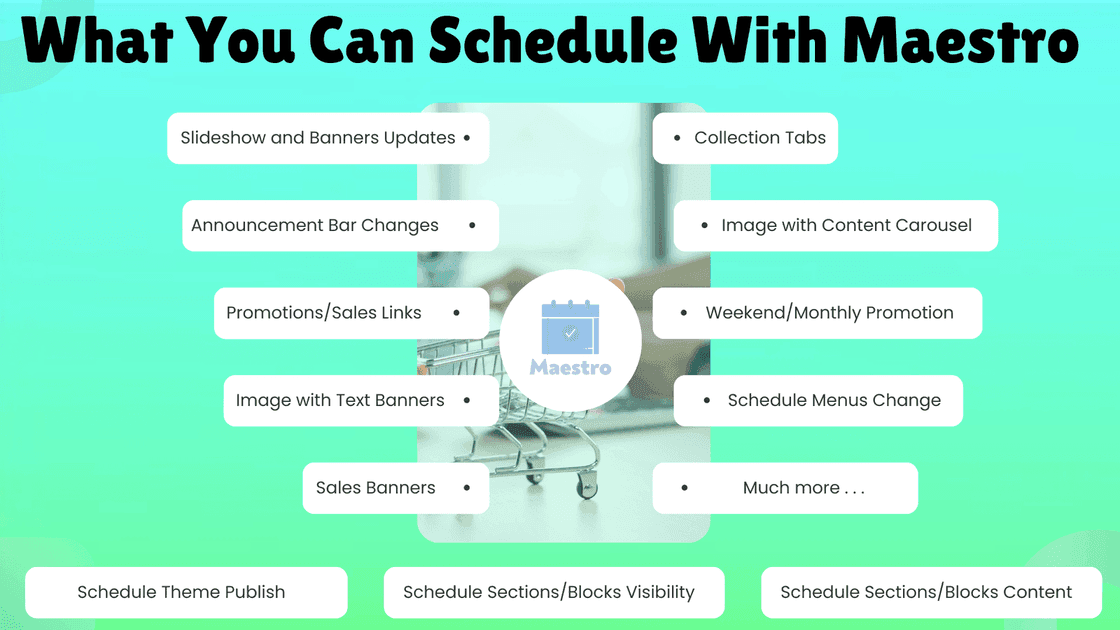
About Maestro Theme Scheduler
Overview
- Who is it for?
- Merchants using Shopify who want to automate theme changes.
- Problem
- Merchants often need to publish themes or change content at inconvenient hours, like midnight, which requires manual effort and can lead to mistakes.
- Solution
- Maestro Theme Scheduler automates the process by allowing merchants to set schedules for theme publishing and content changes, eliminating the need for manual updates at odd hours.
- What makes it unique
- Unlike other scheduling tools, Maestro Theme Scheduler integrates directly with Shopify's theme APIs without requiring code changes, making it easy to use and install.
Use cases
Flash sales
Seasonal storefronts
Product launches
Pricing plans
Pricing
Pricing wasn't available for this listing.
See pricing on their siteFrequently asked questions
As published by Maestro Theme Scheduler — verify anything time-sensitive on their site.
Does Maestro Theme Scheduler change my theme code?
No — Maestro Theme Scheduler works through Shopify's theme APIs, so it does not inject anything into your theme and leaves no remnants if uninstalled.
What happens if my store is busy when a schedule fires?
Maestro Theme Scheduler applies changes through Shopify just like a manual publish, ensuring no impact on page speed.
Which timezone do schedules run in?
Schedules run in your store's timezone, as set in your Shopify settings, ensuring that scheduled changes occur at the correct local time.
Can a schedule repeat?
Yes — schedules can repeat hourly, daily, weekly, bi-weekly, or monthly, either for a set number of occurrences or until you stop them.
Can I see what it did?
Yes — every scheduled action is recorded in a history log, allowing you to confirm what changes were made and when.
Built by
Anass Ez-ZouaineMakerWeekly ranking
Details
- Pricing
- Freemium
- Categories
- E-CommerceAutomation
- Platforms
- Web
- Tech stack
- Shopify
- Tags
- shopifytheme schedulerecommerce automation
- Keywords
- schedule theme changesshopify theme automationcontent schedulingtheme publishingrecurring schedules
Alternative to
Compare
Reviews
No reviews yet — be the first to review Maestro Theme Scheduler.
Similar products
- 6 ↑
Just Because
A flower subscription that delivers on unexpected days — not a monthly club.
- 5 ↑
CostRift
Compare supplier prices and protect margins in your browser
- 3 ↑
NextFeed
Product feed management that finds errors before Google, Meta, TikTok & Amazon.
Listed on LetsLaunch. Launch your own product.
Comments
0 comments
No comments yet — start the conversation.